
Playrooms School Lockers, Collectibles, and Cleanup
Find missing Playrooms school balls, understand the November 6 locker fixes, and follow reported principal rules while checking collectibles.
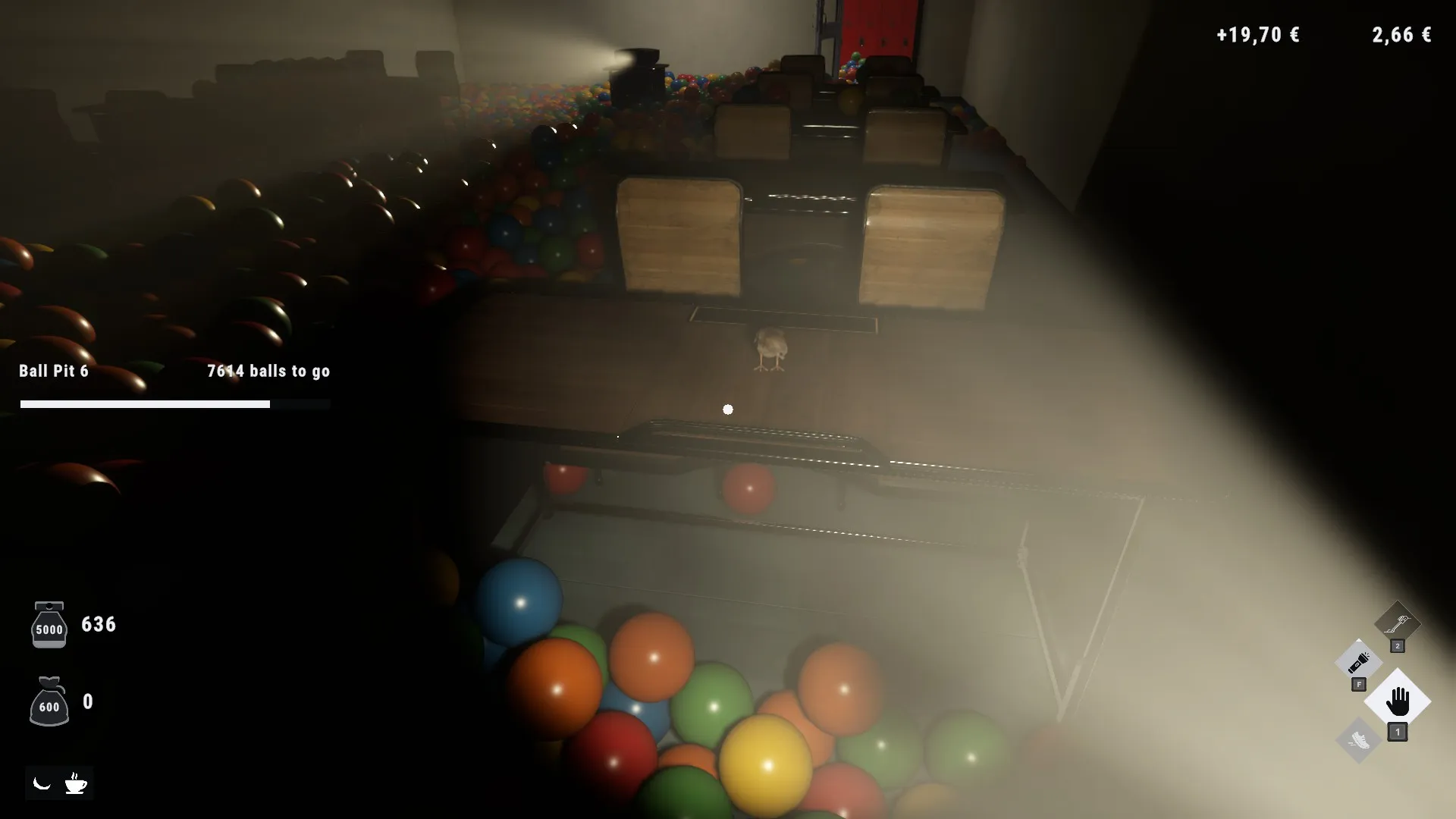
What should you do first in the Playrooms school?
Your scanner can go quiet in the Playrooms school while lockers still hold the last balls, according to community reports. Reopening lockers is a useful check, and the November 6 patch addresses school cleanup bugs that previously prevented 100% completion. Player experience also warns against running in the Playrooms school, making an early walk back as important as collecting the final balls.
Start by separating three tasks: clearing visible balls, checking lockers, and investigating collectibles or unusual scenery. Each deserves attention, but a missing ball does not automatically mean you need to solve a secret.

Playrooms - Episode 1 - Full Game Release! — FalconPlaysGamesOfficial
Video source: Playrooms - Episode 1 - Full Game Release! — FalconPlaysGamesOfficial.
General full-release gameplay reference. This is not a dedicated tutorial, device test, or proof of this article’s particular mechanic. Exact patch is not identified.
This guide covers the full-game evidence and developer changes documented through November 6, 2026. Older player footage helps explain encounters and progression, while the dated patch notes provide the stronger evidence for corrected behavior.
In the reviewed player experience, the school building becomes accessible after purchasing its key. The player buys that key while still working on the poolrooms and gains access to additional upgrades. That example shows you can unlock the school before finishing your current cleanup project; it does not establish an exact key price or every progression prerequisite.
For a first visit, focus on recognizing the return route and learning the principal’s warning. For a nearly finished school, focus on lockers and the patch fixes before repeating a long search. Those two situations call for different priorities, even though both involve the same building.

THE BACKROOMS NEED CLEANING, WE'RE THE GUY | Playrooms FULL GAME PART 1 — Sonoket Gaming
Earlier full-game review-copy playthrough — Sonoket Gaming. Published October 30 before public launch. The dated observations attributed to this recording are not a demonstration of the November 6 patch.
Why lockers matter when the scanner finds nothing
The most useful community tip for missing school balls is straightforward: open the lockers again, including ones you remember checking.
In community reports about missing school balls, players describe finding additional balls after reopening lockers. One reply reports recovering the final two this way. Another says locker balls appear when the locker opens and are not detected beforehand by the scanner.
That makes a silent scan an incomplete check. It can help you locate loose balls, but these reports suggest it cannot reliably account for balls that have yet to emerge from a locker.
| What you notice | What the evidence supports | Useful next check |
|---|---|---|
| A few balls remain, but scans return nothing | Community reports identify unreleased locker balls as a possible cause | Reopen lockers systematically |
| You already opened every locker once | A player reports finding the final two during another pass | Include previously checked lockers |
| Balls emerge after opening a locker | Players describe this behavior, and official notes acknowledge locker fountains | Collect the newly released balls |
| You suspect lockers are backed up | The original poster suggests this explanation without confirming it | Treat the cause as uncertain |
For a Playrooms school cleanup pass, work through locker rows in a consistent order. This is a practical way to apply the community tip without losing track of what you checked.
A reasonable sequence is:
- Collect the loose balls you can already locate.
- Revisit each locker row.
- Open lockers again and collect anything that appears.
- Scan the surrounding area for remaining loose balls.
- Recheck your progress before extending the search elsewhere.
The evidence supports reopening lockers, but it does not establish a required number of openings or a guaranteed repeatable spawning pattern. Avoid assuming every locker produces more balls indefinitely. The goal is to release overlooked balls, then collect them.
What the November 6 patch fixes in the Playrooms school
The official November 6 patch notes explicitly state that the school can now be cleaned to 100%. Several changes explain why an earlier attempt could have stalled.
| School issue | Documented correction |
|---|---|
| Locker fountain balls disappeared into an inaccessible compartment | They now land outside the locker |
| The pause menu’s Reset balls option removed those locker balls | It no longer removes them |
| Lockers could not reopen while their sound faded | They can reopen during that sound |
| Balls on the school TV were unreachable | They move to the pile below; existing saves receive this correction when loaded |
These fixes give a useful order for troubleshooting: ensure the update is installed, load your save, then revisit the affected places. The notes specifically identify loading an existing save as applying the TV-ball correction. They do not call for starting over.
The patch also changes vents: they continue accepting balls after every pit is full, with surplus collection recorded as bonus balls. A full set of pits therefore should not stop vent collection under the documented updated behavior.
Keep the recovery options distinct
Reset balls is the pause-menu option named in the school patch notes. The earlier playthrough also discusses an Unstuck option while dealing with a separate problem, where it affects the player. Do not substitute that older observation for the documented school fix.
The announcement does not promise that Reset balls resolves every possible collision problem. Its confirmed school change concerns locker fountain balls no longer being removed by that option.
If your school remains incomplete, revisit lockers and the corrected TV area before concluding that the save is permanently blocked. No numbered patch version is established in the reviewed material; November 6, 2026 is the reliable identifier for these changes.
How to handle the principal and leave before blackout
The Playrooms school adds a movement concern to the usual shift timer. In the reviewed player experience, the school’s introductory message prohibits running in corridors, and a later reprimand instructs the player to move slowly when the principal is present.
Community reports go further: players say running in school halls can lead to being caught and killed during a shift. This is community-reported danger, rather than a complete developer explanation of detection rules.
| Situation | Evidence | Practical response |
|---|---|---|
| Moving through school corridors | The in-game notice, relayed in player experience, prohibits running | Walk through the halls |
| Encountering the principal | The reprimand tells the player to move slowly | Continue slowly rather than testing sprint |
| Considering whether daylight guarantees safety | Community reports describe deaths from school encounters during shifts | Treat the principal as a separate hazard |
| Approaching the end of a shift | The playthrough shows concern about returning without running | Leave enough time for a walking return |
The early full-game playthrough illustrates the timing problem: the player notices less than a minute remaining while still inside the school and worries about getting out without running. That is a useful warning about planning, but it is not a universal minimum return time.
Your route, position, and available upgrades affect how much time you need. Plan around walking through the restricted corridors. An exit plan that depends on a last-second sprint conflicts with the school’s stated rule.
The reprimand also warns against another violation. However, the footage does not establish a dependable system in which every player always receives one harmless warning. Do not budget a “free” offense into your route.
Likewise, the reviewed evidence does not confirm the principal’s detection distance, exact response delay, or every difficulty-specific exception. The supported approach is simple: obey the corridor warning and shorten exploration when the return trip would become tight.
School collectibles and the unanswered stairs clue
The Playrooms school contains documented collectibles alongside its ball cleanup. Community guides identify two items and two sparrows assigned to this area.
| Collectible | Community guide entry | Confirmed detail |
|---|---|---|
| Wall Clock | Item #8 | Listed under School |
| Copper Icosahedron | Item #9 | Listed under School |
| Two sparrows | Sparrow #12 and Sparrow #13 | Both listed under School |
The item names come from the community Item Locations guide, while the bird entries come from the community Sparrow Locations guide. These numbers are the guides’ ordering, not confirmed identifiers displayed in the game.
The available descriptions establish the collectibles’ area assignments but do not provide enough detail for exact pickup directions. A specific classroom, locker, floor, or route would require additional evidence.
What is confirmed about the stairs?
The school notice in the transcript includes an unusual reference to stairs, and the player observes multiple levels. The meaning of the stairs line remains unconfirmed.
There is no supported solution here involving a particular stair count, repeated movement, or a hidden reward. There is also no confirmed connection between solving that clue and achieving 100% ball cleanup.
For completion troubleshooting, keep your attention on the documented locker and TV fixes. Investigate the stairs separately when you have time, without treating the clue as an established requirement or a confirmed exemption from the running rule.
Related guides
- Rooms & Progression directory
- How to Find the Green Office Maze in Playrooms
- Playrooms Hotel Rooms, Items, and Cleanup
FAQ
Why am I missing balls in the Playrooms school when the scanner is clear?
Community reports say some locker balls do not appear on the scanner before being released. Reopen lockers, including previously checked ones, and collect anything that emerges. Also check that the November 6 update is installed, since it addresses inaccessible locker balls and balls on the school TV.
Can the school now be cleaned to 100%?
Yes, according to the official November 6 patch notes. The developer identifies fixes for locker fountain balls and unreachable TV balls and explicitly says full school cleanup is possible. The TV correction applies to existing saves when loaded, so that documented issue does not require a new playthrough.
Can the principal kill you before the shift ends?
Community reports say the principal can kill players caught running in school corridors during a shift. Player experience also includes a no-running notice and a reprimand directing slow movement. Exact detection conditions and difficulty exceptions are not fully established, so walking is the supported precaution.
Do you need to solve the school stairs secret to finish cleaning?
No confirmed evidence establishes a stairs puzzle as a cleanup requirement. The notice’s stairs reference remains unexplained in the reviewed material. If you are missing balls, first follow the documented checks: reopen lockers, collect released balls, and inspect the TV area after applying the November 6 update.
Related Articles
achievements
Playrooms Colour Is a Distraction Achievement
Plan your single-color ball pit in Playrooms with upgrade tips, wrong-color recovery advice, and developer statements alongside unresolved player reports.
achievements
Playrooms No Re-hires Needed Achievement
Learn why Playrooms' No re-hires needed achievement requires Hardcore completion, why deathless Normal runs fail, and what player reports confirm.
fixes
Playrooms Hotel Balls Stuck in the Ceiling
Fix unreachable hotel balls with the November 6 update. Learn what changed, how existing saves are affected, and why older vacuum advice may fail.
Was this helpful?
Thanks for the feedback!