
Playrooms Demo and Full Game Differences
Compare the Playrooms demo with the full game, check PC requirements, and find confirmed fixes for lighting stalls and controller issues.
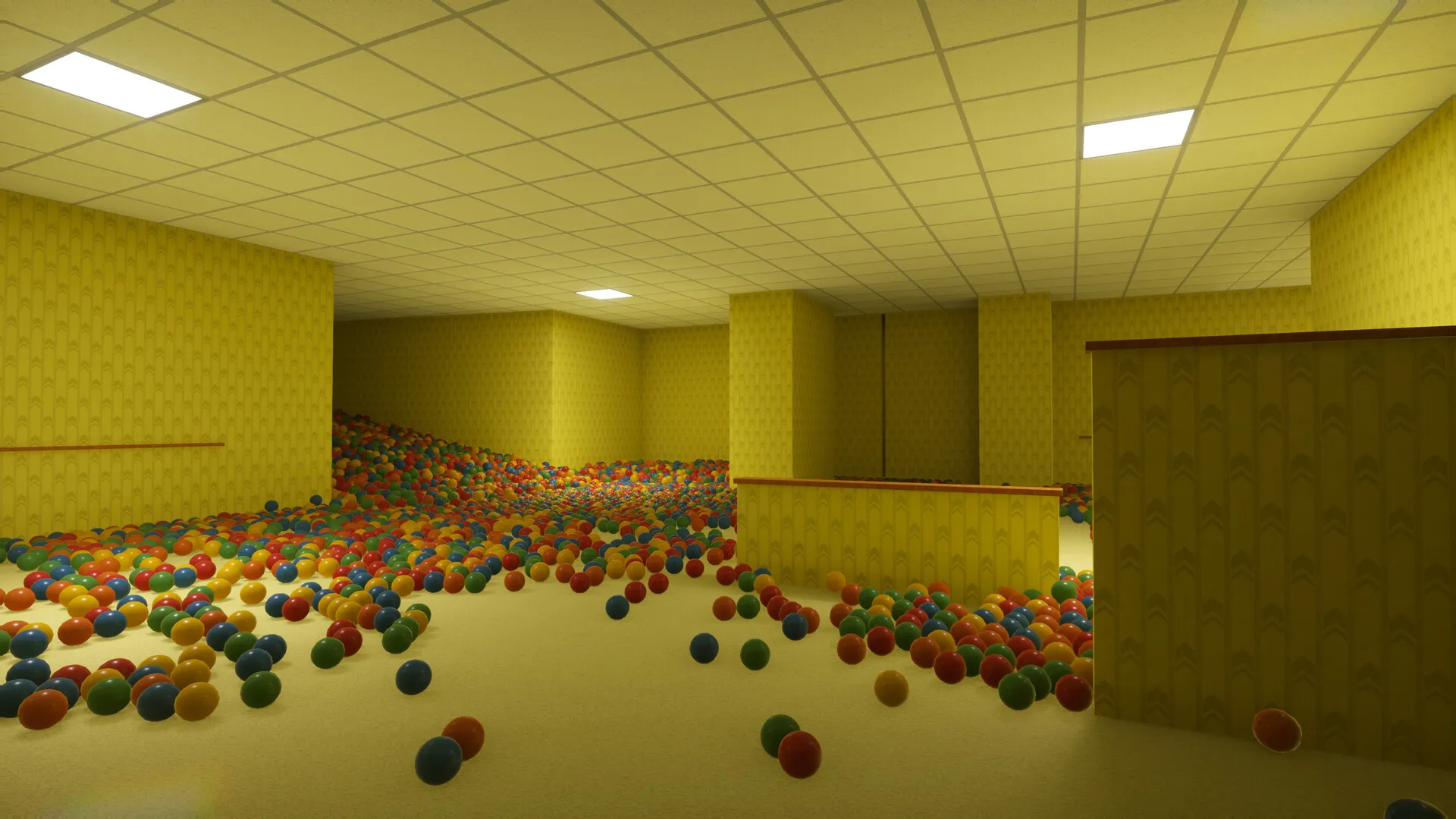
Where can you find the Playrooms demo?
The Playrooms demo turns a simple cleanup job into something more unsettling when the lights start going out. The Playrooms demo lets you sample ball collecting, equipment purchases, and danger in the dark through a separate Windows Steam app. Knowing which version you are installing matters: the full release adds rooms, tools, and story content, while transferring demo progress remains unconfirmed.
You can find the trial through the official Playrooms Demo Steam listing. Both versions come from developer and publisher Two Pixels UG, but they have different Steam app IDs, release dates, and storage requirements.

Playrooms Demo | Backrooms Severance Ball Collection Horror Game — Ravenhome
Video source: Playrooms Demo | Backrooms Severance Ball Collection Horror Game — Ravenhome.
Demo gameplay reference for the separate Demo; not evidence of full-release features.
The comparison below uses the reviewed official storefront information and developer announcements, with a reference date of November 6, 2026.
| Detail | Playrooms demo | Full Playrooms release |
|---|---|---|
| Steam app ID | 5246850 | 5037510 |
| Listed release date | October 12, 2026 | November 4, 2026 |
| Listed operating system support | Windows | Windows |
| Available storage required | 4 GB | 10 GB |
| Player format | Single-player | Single-player |
| Content scope | Trial shift | Expanded rooms, equipment, and full story |
Older trial announcements mention an October 28 launch target for the full game. The full game’s storefront lists November 4, 2026, and the launch announcement explains that the review process took longer than expected. Use November 4 when distinguishing the released game from its earlier schedule.
The practical download distinction is the app name and ID. The demo has its own listing; the full game’s release date and larger content offering should not be mistaken for details about the trial.
What does the Playrooms demo let you try?
The demo introduces the game’s central job: collect scattered balls and return them to ball pits. That cleanup feeds progression. Filling pits unlocks abilities, while collected balls act as currency for equipment and, eventually, a key to the next area.
The official trial announcement confirms that players can complete a trial shift. It does not establish the demo’s exact completion time, total room count, or final progression threshold.
Both storefront descriptions mention more than 200,000 scattered balls. Because that description appears on both listings without a separate breakdown, it should not be treated as a verified count of balls available specifically within the demo.
The supported gameplay outline is straightforward:
- Collect and return balls. Moving them into the designated pits is the main task.
- Build toward upgrades. Filled pits unlock abilities, and collection provides spending currency.
- Purchase equipment. The storefront names a scoop and flashlight as examples.
- Respond to the lighting change. When the shift ends and lights switch off progressively, staying in illuminated areas becomes essential.
These mechanics give the trial a useful purpose: you can assess whether the repeated collection and progression appeal to you before seeking the additional content in the full release.
Equipment spending also belongs to that progression. The trial announcement describes equipment costs coming out of your compensation. However, the reviewed sources do not give item prices, collection rates, or a verified purchase order, so there is no supported “best first upgrade” route to follow.
The storefront also describes adjustable danger, ranging from an experience without fear to a harsher option with no second chances. It does not explain every rule or provide enough detail for a mode-by-mode survival guide. Choose according to your preferred level of tension, without assuming that every mode handles failure identically.
How does the demo compare with the full game?
The clearest difference is the scope of the full release. Its launch announcement explicitly identifies five new rooms, additional cleaning tools, more upgrades, new threats, and the complete story.
For someone finishing the Playrooms demo, those are the strongest confirmed reasons to consider continuing. The expansion includes both more places to work and more systems supporting the cleanup.
| Area | Confirmed additions described for the full release |
|---|---|
| Locations | Five new rooms, plus other undisclosed places |
| Equipment | Additional cleaning tools, including robots |
| Progression | More upgrades for rooms and tools |
| Horror encounters | Threats that were absent from the demo |
| Story | More emails, secrets, and the full narrative |
| Tool handling | Ability to carry two tools at once |
| Whiteboard | Expanded drawing and editing functions |
“Five new rooms” describes additions; it does not establish the game’s total room count. Likewise, the announcement does not provide a complete equipment catalog or the requirements for unlocking every upgrade.
The launch version’s whiteboard expansion includes a pen, eraser, lines, rectangles, circles, four brush sizes, and undo/redo. The announcement also identifies a new achievement related to sorting balls by color and adds French, Spanish, Italian, and Brazilian Portuguese.
These features were announced for the full game’s launch. The reviewed material does not establish whether every launch addition was also backported to the separate demo app. Keep that distinction in mind when comparing screenshots, feature descriptions, or older trial impressions.
Achievements need similar care. Although the full-release announcement highlights them, the demo storefront also lists Steam Achievements. Their presence alone is therefore not a reliable way to distinguish the two versions, and the sources do not establish identical achievement lists.
The full game’s storefront lists Steam Cloud, too. That feature does not establish that a demo save can move into the full game.
What PC specifications and controls are supported?
The Playrooms demo lists the same processor, memory, graphics, and DirectX requirements as the full game. The confirmed difference in their requirements is storage: 4 GB for the trial and 10 GB for the full release.
A smaller installation requirement should not be read as evidence that the demo needs a substantially weaker graphics card.
| Component | Demo minimum | Demo recommended |
|---|---|---|
| Operating system | Windows 10, 64-bit | Windows 10, 64-bit |
| Processor | Intel Core i5-7600K or AMD Ryzen 5 1600 | Intel Core i5-10400 or AMD Ryzen 5 3600 |
| Memory | 8 GB RAM | 16 GB RAM |
| Graphics | NVIDIA GTX 1060, 6 GB, or AMD RX 580 | NVIDIA RTX 2060, 6 GB, or AMD RX 5700 |
| DirectX | Version 11 | Version 11 |
| Available storage | 4 GB | 4 GB |
| Sound | Standard sound card | Standard sound card |
Those storage figures describe available disk space, not a confirmed download size. The reviewed requirements also contain no target frame rate, resolution, or benchmark results. Meeting a listed specification is therefore not evidence of a particular performance level.
Both storefronts list full controller support. More specifically, an official demo update documents changes to menu navigation, controller inputs, and interaction reliability.
| Demo update area | Documented change |
|---|---|
| Settings navigation | Dropdown confirmation and access to Reset, Apply, and Exit were corrected |
| Directional pad | Previously missed inputs were addressed |
| Interface readability | Shoulder-button symbols became larger and mode selection became clearer |
| Tips and whiteboard | Balli’s tips became accessible by controller; the left stick controls the whiteboard pointer |
| Camera preference | A Y-axis inversion option was added |
| Gameplay feedback | Stamina became visible |
That update also addressed interactions failing during cutscenes or object prompts, including key purchases, and improved text clarity at lower resolutions.
These details help interpret older reports. A complaint about missing directional-pad inputs or inaccessible settings may describe behavior that the demo update specifically addressed. The announcement documents a fix, however, rather than guaranteeing that every controller configuration is problem-free.
The demo listing additionally identifies camera comfort options, custom volume controls, play without timed input, and saving at any time. It does not provide a complete settings inventory or explain precisely how each accessibility feature operates.
How do you address stalls when the lights go out?
If the Playrooms demo stalls when lighting begins shutting down, an official demo notice identifies that specific problem. The developers attributed the excessive load to the shutdown sequence on systems with limited graphics memory and adjusted the lighting system.
The same notice introduced a graphics setting called Lightmap Resolution. Its documented troubleshooting sequence is:
- In the demo’s Graphics section, locate Lightmap Resolution.
- Use Auto to let the game choose a level for the computer.
- If stalls continue, select Quarter.
This advice targets the lighting-transition issue described in the announcement. It is not a confirmed universal solution for unrelated crashes, low frame rates, or launch failures.
The lights continuing to switch off is expected. The update addresses the strain caused by that transition; it does not remove the scheduled shutdown or the gameplay requirement to remain in the light.
For persistent stalls or crashes, the developers also introduced logging and requested the file named Player.log. The reviewed notice places it in the user’s AppData LocalLow folder, under Two Pixels UG (haftungsbeschränkt) and then Playrooms Demo.
Keep this troubleshooting guidance attached to the demo. The available notice does not establish that the full release uses the same logging folder or has an identical settings layout. It also gives no semantic patch number, so assigning one to these fixes would be unsupported.
Related guides
- Steam & Platforms directory
- Playrooms Steam Release Date and Editions
- Playrooms Minimum and Recommended PC Requirements
Playrooms demo FAQ
How long is the Playrooms demo?
The official announcement confirms that the trial shift can be completed in the demo, but it provides no duration estimate. The reviewed sources also do not establish an exact room count, completion checklist, or time limit. A claimed average playtime would need additional evidence.
Does demo progress transfer to the full game?
Save transfer is unconfirmed in the reviewed official material. The demo and full release are separate Steam apps, but that fact alone proves neither compatibility nor incompatibility. The full game’s Steam Cloud listing also does not answer whether it can import trial progress. Avoid planning around a guaranteed continuation from your demo save.
Can you save during the demo?
The demo’s Steam listing includes Save Anytime. That supports saving during the trial, but it does not describe the save interface, number of slots, or import behavior. Saving within the demo and transferring that save to the full release are separate questions; only the former is supported here.
Is the demo available for Mac, Linux, or multiplayer?
The reviewed Steam listing identifies Windows support and single-player play. It does not list native Mac or Linux versions or a multiplayer mode. Compatibility through other software is not established by these sources. For the documented configuration, use the Windows requirements above and expect a solo trial shift.
Related Articles
community
Where to Find Playrooms Community Discussions
Searching for Playrooms reddit? Check the verified Steam game, separate demo advice, and see what is known about community discussions.
modes
Does Playrooms Have Co-op or Multiplayer?
Playrooms is listed as single-player. Learn what its developer said about possible multiplayer and what remains unconfirmed as of November 6, 2026.
platforms
Playrooms Review Roundup and Buyer Guide
This Playrooms review roundup covers cleanup progression, Cozy Mode, early player impressions, replay questions, and PC requirements.
Was this helpful?
Thanks for the feedback!